
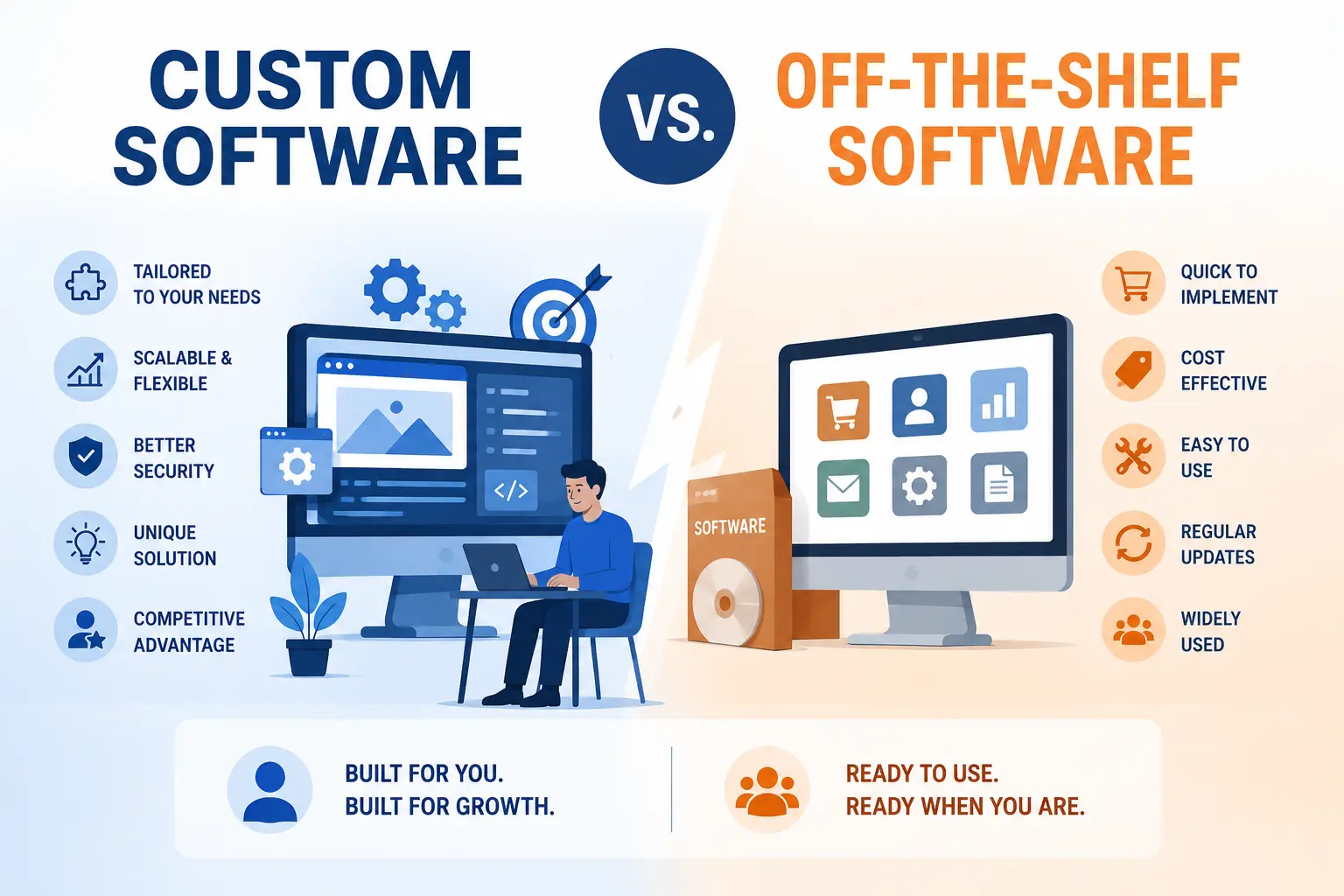
Every business eventually hits the same wall: the tools you’re using no longer match the way you actually work. Maybe your team is stitching together spreadsheets and three different apps just to complete one task. Maybe you’re paying for software features you never touch, while the one feature you actually need doesn’t exist. This is the moment when the question of custom software vs off-the-shelf software stops being theoretical and starts being urgent.
Choosing between the two isn’t just a technical decision — it affects your budget, your team’s daily workflow, your ability to scale, and even how secure your business data stays over time. Off-the-shelf software promises speed and convenience. Custom software promises a perfect fit. Both promises are true, and both come with trade-offs that aren’t always obvious until you’re a year into using the product.
In this article, we’ll walk through exactly what separates custom software from off-the-shelf solutions, compare their costs, scalability, security, and support, and help you figure out which path makes more sense for where your business is today — and where it’s headed next.
What is Off-the-Shelf Software?
Off-the-shelf software refers to pre-built applications designed to serve a broad range of businesses with similar, general needs. Instead of being built for one specific company, it’s developed once by a vendor and then sold or licensed to thousands of customers across different industries. Think of it as a ready-made suit — it fits reasonably well on most people, even if it’s not tailored to your exact measurements.
This type of software is typically available through a subscription or one-time license, and it comes with standard features that cover the most common business needs: invoicing, scheduling, communication, project tracking, and so on. Because the same product is sold to many users, the vendor spreads out development costs, which is why off-the-shelf software solutions and business software solutions provided this way are usually more affordable upfront than building something from scratch.
The trade-off is flexibility. You get what the vendor built, and if your business processes don’t quite match the software’s assumptions, you either adjust your workflow to fit the tool or look for a workaround.
➤ Common Examples of Off-the-Shelf Software
Most businesses already rely on several off-the-shelf tools without necessarily thinking of them that way. Common examples include:
- Accounting software like QuickBooks or Xero for managing finances and invoices
- Customer relationship management (CRM) tools like Salesforce or HubSpot for tracking leads and customer interactions
- Project management platforms like Asana or Trello for organizing tasks and teams
- Office productivity suites like Microsoft 365 or Google Workspace for documents, spreadsheets, and email
- E-commerce platforms like Shopify or WooCommerce for running an online store
These tools work well because the problems they solve — invoicing, task tracking, email — are fairly universal across businesses. The moment your needs become more specific to your industry or internal process, that’s usually when the limitations start to show.
What is Custom Software?
Custom software, also called bespoke software, is an application built specifically for one organization based on its unique business requirements. Instead of adapting your workflow to fit a pre-built tool, custom software development flips the process — the software is designed around how your business already operates, or how you want it to operate.
This approach usually involves working with a custom software development company or an in-house team of custom software developers who study your existing processes, identify pain points, and build a solution that addresses them directly. The result is custom-built software that reflects your exact terminology, your approval workflows, your reporting needs, and your integrations — not a generic version of them.
Because it’s built specifically for you, custom software tends to require a higher upfront investment and a longer implementation time compared to off-the-shelf alternatives. But for businesses with workflows that don’t map cleanly onto generic software, this investment often pays off through better operational efficiency and fewer daily workarounds.
♦ Types of Custom Software
Custom software isn’t a single category — it can take several forms depending on what a business needs:
- Internal business tools built for specific departments, such as custom inventory systems or HR platforms
- Customer-facing applications, including branded portals, custom mobile apps, or booking systems
- Industry-specific software, such as hospital management systems or logistics tracking platforms
- Integration and automation tools that connect existing systems and automate manual processes
- Legacy system replacements, where outdated software is rebuilt with modern architecture while preserving critical business logic
Each of these serves a different purpose, but they share the same foundation: they’re designed around the business, not the other way around.
Quick Comparison: Custom vs. Off-the-Shelf at a Glance
Before going deeper into the pros, cons, and costs, here’s a quick side-by-side look at how the two options compare on the fundamentals.
| Factor | Off-the-Shelf Software | Custom Software |
|---|---|---|
| Initial cost | Lower upfront investment | Higher upfront investment |
| Implementation time | Fast, often ready to use immediately | Longer, depends on project scope |
| Customization | Limited to existing features | Fully tailored to business needs |
| Ownership | Vendor owns the software | Business owns the software |
| Scalability | Limited by vendor’s roadmap | Built to scale with the business |
| Long-term cost | Recurring licensing/subscription fees | Maintenance costs, but no per-user licensing |
► Purpose and Business Fit
Off-the-shelf software is built to serve the average business in a given category, which means it covers common needs well but rarely addresses niche or highly specific requirements. Custom software, on the other hand, is designed with your actual business workflow in mind, which makes it a stronger fit when your processes don’t follow an industry-standard pattern.
► Deployment Time and Implementation
If speed matters most, off-the-shelf software wins by a wide margin — many tools can be set up and running within days. Custom application development, by contrast, involves discovery, design, development, and testing phases that can take anywhere from a few months to over a year, depending on complexity.
► Ownership and Control
With off-the-shelf software, you’re licensing access to someone else’s product, which means you’re subject to their pricing changes, feature roadmap, and update schedule. Custom software gives you full software ownership, meaning you control how it evolves, when it’s updated, and who has access to the underlying code.
Pros and Cons of Off-the-Shelf Software
✸ Advantages of Off-the-Shelf Software
- Lower upfront cost since development expenses are shared across many customers
- Fast implementation, often ready to use within days of purchase
- Proven reliability, since the software has already been tested by a large user base
- Regular updates handled by the vendor without extra effort from your team
- Established third-party integrations with other popular business tools
✸ Disadvantages of Off-the-Shelf Software
- Limited customization, which can force your team to adjust workflows around the software instead of the other way around
- Paying for unused features that come bundled into the package
- Vendor dependency, since you rely on the provider’s timeline for updates, fixes, and new features
- Potential vendor lock-in, making it difficult to switch platforms without losing data or workflows
- Recurring subscription costs that add up significantly over several years
Pros and Cons of Custom Software
✦ Advantages of Custom Software
- Built around your exact business requirements, reducing the need for workarounds
- Better long-term scalability, since the architecture can be expanded as your business grows
- Stronger data security, because the system isn’t a widely known target used by thousands of other companies
- Full software ownership, giving you control over updates, features, and the technology roadmap
- Improved software integration with your existing systems, since it’s built to work with what you already have
✦ Disadvantages of Custom Software
- Higher upfront investment compared to buying an existing product
- Longer implementation time, since the software has to be designed, built, and tested from the ground up
- Requires ongoing internal or outsourced technical support for maintenance and updates
- Project risk, particularly if requirements aren’t clearly defined before development begins
Is There a Middle Ground? Low-Code, No-Code, and Hybrid Solutions
Not every business has to choose one extreme or the other. Low-code and no-code platforms have grown into a practical middle ground, allowing businesses to build custom applications using visual interfaces and pre-built components instead of writing code from scratch. These platforms can significantly reduce development cost and implementation time while still offering more flexibility than a rigid off-the-shelf product.
A hybrid approach is also common: many businesses use off-the-shelf software for standard functions like accounting or email, while investing in custom software development only for the specific workflows that generic tools can’t handle well. This lets a business control costs while still solving its most pressing operational problems with a tailored solution.
Low-code and no-code tools do have limits, though. They work best for moderately complex applications and internal tools, but they can struggle with highly specialized logic, large-scale data processing, or deep system compatibility requirements — situations where fully custom software development still makes more sense.
Cost Comparison: Custom vs. Off-the-Shelf Software
➤ Upfront Costs
Off-the-shelf software usually wins on initial price. Most platforms offer subscription tiers starting at a modest monthly rate, making them accessible even for small businesses with limited budgets. Custom software development, by comparison, requires a significant upfront investment covering discovery, design, development, and testing — costs that can range widely depending on the scope of the project.
➤ Long-Term and Hidden Costs
This is where the comparison gets more interesting. Off-the-shelf software may look cheaper initially, but subscription costs and per-user licensing fees accumulate over time, sometimes exceeding the cost of custom development within a few years — especially as your team grows and you need more licenses. There are also hidden costs to consider, such as paying for add-ons or third-party integrations that aren’t included in the base plan.
Custom software has its own long-term costs too, primarily around maintenance, updates, and technical support. However, since there are no per-user licensing fees, the total cost of ownership can become more predictable and, in some cases, more economical as the business scales.
➤ Return on Investment (ROI)
Software ROI isn’t just about the price tag — it’s about how much value the software creates relative to what you spend. Off-the-shelf software often delivers fast ROI for standard business functions because it’s cheap to start and quick to implement. Custom software tends to deliver stronger ROI over a longer time horizon, particularly when it eliminates inefficient manual processes, reduces reliance on multiple disconnected tools, or opens up new capabilities that generic software simply can’t offer.
Scalability and Flexibility: Which Option Grows With Your Business?
♦ Scalability of Off-the-Shelf Software
Most off-the-shelf platforms offer scalability up to a point — usually by letting you upgrade to a higher pricing tier with more users, storage, or features. The limitation is that you’re scaling within the boundaries the vendor has designed. If your business outgrows what the platform can offer, migrating to a new system can be disruptive and costly.
♦ Scalability of Custom Software
Custom software is typically designed with software scalability in mind from the start, meaning the architecture can be expanded, modified, or rebuilt as business needs evolve. This gives businesses more software flexibility to add new features, support more users, or integrate new technologies without being restricted by someone else’s product roadmap. For companies expecting significant business growth, this long-term adaptability is often one of the strongest arguments in favor of custom-built software.
Security and Data Privacy: Which Software Is Safer?
► Security Risks of Off-the-Shelf Software
Because off-the-shelf software is used by thousands of businesses, it can become an attractive target for cybercriminals — a single vulnerability can potentially expose data across many organizations at once. Additionally, since the source code and infrastructure are controlled by the vendor, businesses have limited visibility into exactly how their data is stored, processed, or protected. The importance of data privacy becomes especially relevant here, as businesses handling sensitive customer or financial information need to carefully review a vendor’s security practices before committing.
► Security Advantages of Custom Software
Custom software allows a business to build security measures directly into the architecture based on its specific compliance requirements and risk profile. Since the system isn’t widely used or publicly documented in the same way as popular off-the-shelf products, it’s a less predictable target for attackers. Businesses can also more easily incorporate advanced protections, including AI in Cybersecurity, to monitor for threats and respond to unusual activity in real time — something that’s harder to customize within a fixed vendor product.
Integration and Compatibility With Existing Systems
✸ Integration Challenges With Off-the-Shelf Software
Off-the-shelf software often relies on pre-built third-party integrations, which work well when your other tools are also popular, mainstream platforms. Problems arise when a business uses older or specialized systems that aren’t supported, forcing teams to rely on manual data entry or third-party middleware to bridge the gap — both of which introduce extra cost and risk of error.
✸ How Custom Software Simplifies Integration
Because custom software is built with your specific tech stack in mind, it can be designed from day one to ensure smooth system compatibility with your existing tools, databases, and legacy systems. This is particularly valuable for businesses undergoing digital transformation, where connecting old infrastructure with new applications is often the biggest technical hurdle.
Maintenance and Support: Custom vs. Off-the-Shelf Software
✦ Maintenance and Vendor Support for Off-the-Shelf Software
With off-the-shelf software, maintenance and software updates are typically handled by the vendor as part of your subscription. This reduces the burden on your internal team, but it also means you have little control over when updates happen or how they might affect your existing workflows. Technical support quality also varies significantly between vendors, and response times can be slow for businesses on lower-tier plans.
✦ Maintenance Responsibilities for Custom Software
Custom software places maintenance responsibility on the business, whether that’s an in-house IT team or an ongoing relationship with a software development outsourcing company. This requires planning for regular updates, bug fixes, and security patches, but it also means you decide the priorities and timeline — nothing gets pushed to the back of someone else’s queue.
How to Choose the Right Software for Your Business
➤ Assess Your Business Requirements
Start by mapping out your actual workflows and identifying where current tools fall short. If a generic solution already covers 80-90% of what you need, that gap may not justify a custom build. If your core processes are fundamentally different from industry norms, that’s a stronger signal toward custom software.
➤ Consider Your Budget and Resources
Be honest about what you can afford — not just upfront, but over the next three to five years. Factor in licensing fees and subscription costs for off-the-shelf tools, or development cost and ongoing maintenance for custom builds, before making a decision.
➤ Evaluate Future Growth Plans
Think beyond your current team size and workload. If you expect significant business growth, ask whether your chosen software can scale with you or whether you’ll be forced into a costly migration in a few years.
➤ Analyze Security and Compliance Needs
Businesses in regulated industries — healthcare, finance, legal — often have compliance requirements that generic software may not fully support. Review data handling practices carefully, whether you’re evaluating a vendor’s security certifications or planning your own custom security architecture.
➤ Choose Off-the-Shelf Software If…
- You need a solution quickly and can’t wait months for development
- Your business processes align closely with industry standards
- Your budget is limited and predictable monthly costs work better than a large upfront investment
- You don’t require deep customization or complex integrations
➤ Choose Custom Software If…
- Your workflows are unique and don’t fit well into generic templates
- You need full ownership and control over your technology
- You’re scaling quickly and need software that grows with you
- Security, compliance, or system integration needs are complex or highly specific
Conclusion
There’s no universal answer to custom software vs off-the-shelf software — the right choice depends entirely on your business’s size, budget, workflows, and long-term goals. Off-the-shelf software offers speed, affordability, and simplicity, making it a smart choice for standard business functions and companies just getting started. Custom software offers precision, ownership, and scalability, which pays off for businesses with unique processes or ambitious growth plans.
The most practical approach is often to start with a clear-eyed assessment of what your business actually needs today, and what it’s likely to need in the next few years. If you’re still unsure which direction fits your situation, requesting a custom software quote or speaking with a custom software consulting services provider can help clarify the real costs and timelines involved before you commit either way.
FAQs
Is custom software more expensive than off-the-shelf software?
Custom software usually costs more upfront, since it involves designing and building an application from scratch rather than licensing an existing product. However, over a longer time horizon, off-the-shelf software’s recurring subscription costs and per-user licensing fees can add up to a similar or even higher total cost of ownership, depending on team size and usage.
Can small businesses afford custom software?
Yes, though it depends on scope. Many small businesses start with off-the-shelf tools and later invest in custom software once their processes become too complex for generic solutions. Low-code and no-code platforms have also made custom-built tools more accessible for smaller budgets by reducing development time and cost.
What are examples of off-the-shelf software?
Common examples include accounting platforms like QuickBooks, CRM tools like HubSpot, project management software like Asana, office suites like Microsoft 365, and e-commerce platforms like Shopify.
How long does it take to build custom software?
Implementation time varies based on complexity. A simple internal tool might take a few weeks to a couple of months, while a full enterprise software solution with multiple integrations can take six months to over a year, including discovery, design, development, and testing phases.
Can off-the-shelf software be customized later?
To a limited extent. Many off-the-shelf platforms offer configuration options, add-ons, and third-party integrations that allow some degree of software customization. However, these adjustments are usually limited to what the vendor’s platform architecture allows, unlike custom software, which can be modified at a deeper structural level.