
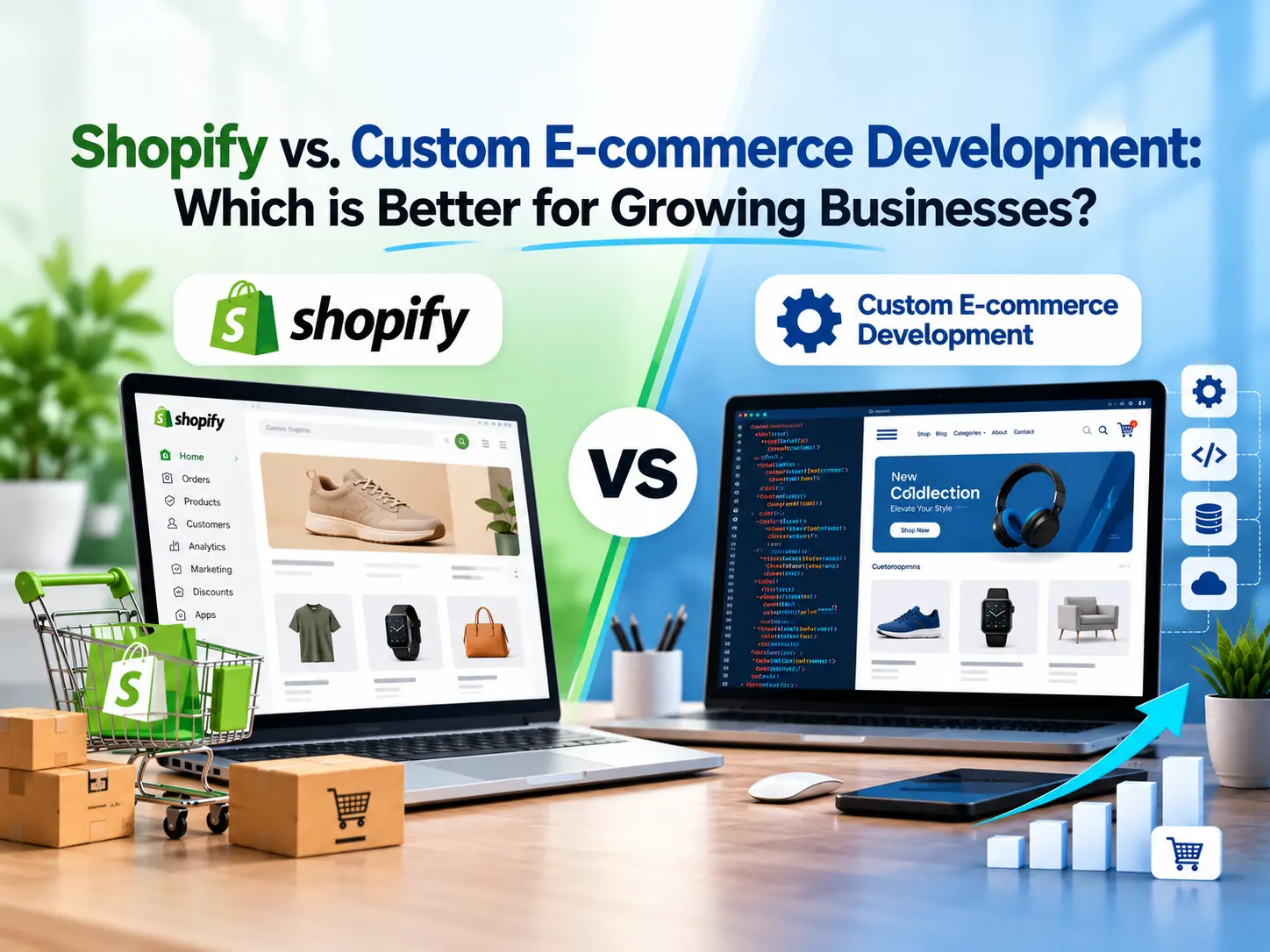
Shopify is usually the better choice for businesses that want to launch quickly, keep costs predictable, and avoid managing infrastructure. Custom e-commerce development is better when your workflows, integrations, or scale demand control that a hosted platform can’t give you. Most growing businesses sit somewhere in between, and the right answer depends on your stage, budget, and technical needs.
This guide is an e-commerce platform comparison for founders, operations leads, and marketing managers who are deciding between a SaaS e-commerce platform and a purpose-built store. It covers cost, flexibility, scalability, SEO, integrations, and security, then ends with a practical way to decide.
Two notes before we start. Prices and plan details change often, so figures below are US list prices as published in 2026, and you should confirm them on the Shopify official website before budgeting. And where I don’t have reliable data (custom build costs, for example), I explain what drives the number instead of inventing one.
What is Shopify E-commerce Development?
Shopify e-commerce development means building and customizing an online store on Shopify’s hosted, subscription-based platform. Shopify runs the servers, checkout, security layer, and core commerce features. Developers work on top of that foundation through themes, apps, and APIs. If you’re asking “what is Shopify and how does it work,” think of it as renting a proven store engine and shaping the storefront around it.
Shopify store development typically covers theme setup, storefront customization, product catalog management, app configuration, payment gateway integration, and data migration. Businesses often hire Shopify developers or a Shopify store development company when they need custom theme work, complex app setups, or a Shopify migration (covered near the end of this guide).
Key Features and Benefits of Shopify
Shopify’s biggest strengths are speed to launch, built-in commerce tools, and a large ecosystem. You get hosting, SSL, a hosted checkout, inventory tools, discount codes, and reporting without building any of it.
- Fast launch: a themed store with products can go live in days or weeks, not months.
- Managed hosting and updates: Shopify handles platform updates, bug fixes, and infrastructure management.
- Shopify App Store: thousands of apps add reviews, subscriptions, loyalty, and marketing features.
- Shopify Payments and Shop Pay: built-in payment processing with a familiar checkout for returning buyers.
- Multichannel selling: one backend can feed your store, marketplaces, social channels, and point of sale.
- Developer resources: the Shopify developer documentation covers themes, APIs, checkout extensions, and headless tooling.
If you want to see how a request travels from browser to store, our explainer on what happens when you open a website shows why hosted platforms remove so much operational work.
Shopify’s Limitations for Growing Businesses
Shopify’s main limitations are platform dependency, theme and checkout constraints on lower plans, and costs that grow with apps and volume. Growth exposes these gradually, not on day one.
- Checkout control: deep checkout customization is mainly a Shopify Plus feature, delivered through Shopify’s extension tools.
- App sprawl: each app adds a monthly fee, and too many can slow pages and complicate maintenance.
- Data model limits: highly unusual products, pricing rules, or bespoke workflows can force workarounds.
- Platform dependency: you can’t change the core code, hosting, or release schedule.
- Recurring costs: the monthly subscription and payment fees continue for as long as you sell.
What is Custom E-commerce Development?
Custom e-commerce development means designing and building an online store from the ground up, or on an open framework, so you own the code and decide how it behaves. Instead of adapting your business to a platform, the platform is built around your business.
Custom e-commerce website development usually involves a defined technical architecture, a backend for catalog and orders, a customer-facing storefront, and connections to payment gateways, an ERP, CRM, and inventory systems. Some teams build fully from scratch. Others use frameworks or open platforms such as Magento (Adobe Commerce), WooCommerce, or composable services. Our guide on custom software vs. off-the-shelf software explains the broader trade-off.
Key Benefits of Custom-Built E-commerce Solutions
The core benefits of custom e-commerce solutions are flexibility, ownership, and the ability to model your exact business logic.
- Bespoke workflows: custom pricing, approval chains, configurators, and fulfillment rules are built in, not bolted on.
- Design flexibility: the storefront isn’t limited by theme structure.
- Custom integrations: direct, API-first connections to ERP, warehouse, and CRM systems.
- Source code access and hosting control: you choose the infrastructure, region, and performance tuning.
- Reduced vendor lock-in: you aren’t tied to one vendor’s roadmap or pricing changes.
- Business-specific scale: architecture can be shaped for your catalog size, traffic pattern, or multi-vendor marketplace model.
Challenges of Custom E-commerce Development
Custom development costs more upfront, takes longer, and puts maintenance, security, and uptime on your shoulders.
- Longer development timeline: requirements, design, build, testing, and launch usually take months rather than weeks.
- Higher upfront investment: you pay for engineering before you earn revenue.
- Ongoing responsibility: security patches, dependency updates, hosting, and monitoring are yours.
- Technical debt: rushed or poorly documented code becomes expensive to change later.
- Talent dependency: you need a reliable custom e-commerce development company or in-house team who understands the system.
Shopify vs Custom E-commerce Development: Key Differences
The key differences come down to speed, control, and responsibility. Shopify trades control for convenience. Custom development trades convenience for control. The sections below cover the three differences that shape day-to-day experience.
Ease of Use and Store Management
Shopify is easier to manage day-to-day. Merchants can add products, edit pages, run promotions, and process orders in a polished admin without developer help. Staff training is light, and help is easy to find.
A custom store is only as easy to use as its admin was designed to be. A well-built admin can match your exact operations and be faster for your team. A rushed one can be clumsy, and every change may need a developer. Plan admin and order management system design as seriously as the storefront.
Development Time and Time to Market
Shopify gets you to market faster, often in weeks, while custom builds commonly take months. Time to market matters when you’re testing demand, chasing a season, or competing against fast-moving rivals.
Exact timelines depend on scope, number of integrations, design complexity, and approvals, so treat any universal number with caution. A practical pattern: launch on Shopify to validate demand, and invest in custom work once you know which capabilities genuinely drive revenue.
Ownership, Control, and Platform Dependency
With Shopify, you own your store content and customer data but not the platform; with custom development, you own the code and infrastructure. That distinction affects vendor lock-in, data portability, and long-term flexibility.
- Shopify: you can export products, customers, and orders, but themes, apps, and some platform-specific features don’t transfer cleanly.
- Custom: you control the codebase, database, hosting, and roadmap, and you are responsible for keeping all of it healthy.
Shopify vs Custom Development at a Glance (Comparison Table)
| Factor | Shopify | Custom E-commerce Development |
|---|---|---|
| Launch speed | Fast (days to weeks) | Slower (typically months) |
| Upfront cost | Low | Higher |
| Ongoing cost | Subscription, apps, payment fees | Hosting, maintenance, developer time |
| Customization | Themes, apps, APIs, Plus extensions | Virtually unlimited |
| Scalability | Strong, managed by Shopify | Depends on your architecture |
| Security and updates | Handled by Shopify | Your responsibility |
| Integrations | App Store and APIs | Any system, built to spec |
| Ownership | Platform-dependent | Full code and hosting control |
| Best for | Most startups and growing brands | Complex or highly specialized businesses |
Cost Comparison: Shopify vs Custom E-commerce Development
Shopify costs less to start and is more predictable; custom development costs more upfront and can be cheaper per order at large scale, but only if volume and complexity justify it. Judge cost by total cost of ownership (TCO), not by the launch price alone.
Shopify Pricing, Plans, Apps, Themes, and Transaction Fees
As of 2026 US list pricing, Shopify plans run from $5/month (Starter) to $39 (Basic), $105 (Grow), $399 (Advanced), and from $2,300 (Plus) when billed monthly. Annual billing lowers the three core plans to about $29, $79, and $299 per month, according to TechRadar’s 2026 review. Check the official Shopify pricing plans page for your region.
Payment costs matter just as much as the subscription:
- Shopify Payments (online cards): roughly 2.9% + 30¢ on Basic, 2.7% + 30¢ on Grow, 2.5% + 30¢ on Advanced, and about 2.15% + 30¢ on Plus, per First Pier’s May 2026 breakdown. Some sources list slightly different card rates, so verify on Shopify’s site.
- Third-party gateway surcharge: if you don’t use Shopify Payments, Shopify adds 2% (Basic), 1% (Grow), 0.6% (Advanced), or 0.2% (Plus) on top of your processor’s fees, per Shero Commerce.
- Apps: most useful apps are monthly subscriptions. Reviews, subscriptions, search, and loyalty tools add up.
- Themes: free and paid themes exist, and heavy theme customization usually needs developer time.
One 2026 pricing guide notes that B2B basics became available on all plans in April 2026, while advanced B2B features such as unlimited catalogs remain on Plus. Shopify also offers new merchants an introductory trial and discounted early months, which can change first-year math.
Custom E-commerce Development Costs and Ongoing Maintenance
Custom e-commerce website development cost varies too widely for a reliable single figure. It depends on scope, design, integrations, team location, and whether you build from scratch or on a framework. Be wary of any quote that doesn’t break these drivers out.
Main cost drivers:
- Discovery and architecture: requirements, data model, and technical planning.
- Design and front-end build: UX, mobile responsiveness, and storefront customization.
- Back-end build: catalog, cart, checkout, order management system, and admin.
- Integrations: payment gateway integration, ERP, CRM, inventory systems, and shipping.
- Testing and launch: QA, security review, data migration, and performance tuning.
Then come the website maintenance costs that never stop: hosting, monitoring, security patches and updates, bug fixes, compliance reviews, and developer retainers. Budget for these from day one.
Total Cost of Ownership as Your Business Grows
TCO adds every cost over a multi-year period: build, subscriptions, apps, fees, hosting, maintenance, and the cost of delays. Shopify’s cost rises with revenue (payment fees, app stack, plan upgrades). Custom cost is front-loaded and then driven by engineering headcount.
A simple way to compare:
- List year-one build costs for each option.
- Add yearly platform, app, hosting, and maintenance costs.
- Add payment processing at your realistic order volume.
- Estimate the revenue impact of launch speed and conversion differences.
- Project years two to five, including a likely replatforming or redesign.
For many growing businesses, Shopify wins on TCO for the first several years. Custom development tends to pay back when you have unique requirements that would otherwise need expensive workarounds, or when platform fees at very high volume exceed the cost of running your own stack. Your own numbers decide this, not a rule of thumb.
Features and Customization: Which Option Offers More Flexibility?
Custom development offers more flexibility, but Shopify is flexible enough for most stores. The real question is whether your requirements fit within Shopify’s extension points or need to break out of them.
Shopify Themes, Apps, and Available Customization
Shopify supports customization through themes, the Shopify App Store, custom apps, and APIs. Theme customization changes layout and branding. Apps add features. Developers can build custom apps, edit theme code, and use APIs for tailored behavior.
This covers a wide range: product bundles, subscriptions, wholesale pricing, and personalized shopping experiences using AI-powered product recommendations from app vendors. The limit appears when many apps overlap, or when you need logic that doesn’t fit Shopify’s data model.
Custom Features, Business Logic, and Tailored User Experiences
Custom builds let you encode business rules directly: configurators, quote workflows, tiered contracts, complex bundling, or marketplace logic. This is where bespoke workflows and custom features pay for themselves.
Examples where custom shines:
- A manufacturer with per-customer pricing, approval chains, and ERP-driven availability.
- A multi-vendor marketplace with seller onboarding, commissions, and payouts.
- A product that must be configured visually before it can be ordered.
A custom UX can also tune conversion rate optimization more precisely, though only if your team tests and iterates.
Checkout, Payments, and Omnichannel Flexibility
Shopify’s checkout is fast, proven, and tightly integrated, with deeper customization reserved for Plus; custom checkouts are fully flexible but carry more risk. Shopify’s checkout extensibility tools let developers add custom fields, offers, and logic in a way designed to be upgrade-safe.
For payments, Shopify supports its own processor and many third-party gateways (with surcharges, as covered above). A custom checkout lets you integrate any payment provider and design any flow, but you take on PCI scope, fraud handling, and the testing burden. For many businesses, a checkout that converts reliably is worth more than one that’s fully bespoke.
For omnichannel commerce, Shopify natively connects online, point of sale, marketplaces, and social channels. Custom builds can reach any channel, but each connection is a project.
Scalability and Performance: Which Platform is Better?
Both can scale. Shopify scales with little effort on your part, while custom platforms scale as well as you architect them. Scalability is about catalog size, order volume, traffic spikes, and your team’s ability to keep up.
Scalability for Growing Product Catalogs and Order Volumes
Shopify handles most growing catalogs and sale-day traffic spikes without you managing servers. Its infrastructure is built for peak events, and Plus adds higher limits, automation, and multi-store management for larger operations.
Limits show up in other ways: variant limits per product, complex catalog structures, and API rate limits when syncing large data sets. Custom platforms can be designed around your catalog from the start, but you must provision, load-test, and monitor capacity yourself. A poorly built custom system can fail under traffic that a hosted platform would shrug off.
Site Speed, Performance Optimization, and Infrastructure Control
Shopify delivers solid default speed; custom builds can be faster but only with skilled engineering. Page speed and Core Web Vitals influence both user experience and search visibility. Google documents the metrics at web.dev.
On Shopify, speed is mostly shaped by theme quality, image handling, and how many apps inject scripts. On custom builds, you control caching, CDN, database tuning, and rendering strategy. Headless approaches can also improve performance, a point we return to under middle-ground options.
SEO, Integrations, and Security: Which Option is Better?
Neither wins outright. Shopify gives strong SEO basics and managed security with limits on deep control; custom gives full control with full responsibility.
SEO Capabilities and Technical Optimization
Shopify covers SEO essentials well; custom development gives more control over technical SEO. Shopify includes editable titles and meta descriptions, automatic sitemaps, canonical tags, and clean theme markup. Its fixed URL structure (such as /products/ and /collections/ paths) is a known constraint.
Custom builds let you define URL structure, structured data, crawlability rules, rendering, and indexability handling exactly. That helps large or unusual sites, but it also means mistakes are yours to catch. If you want background on how crawling and indexing work, see how search engines work.
For most stores, content quality, internal linking, site speed, and product data matter more than the platform. A well-run Shopify store usually outranks a poorly managed custom site.
Third-Party Integrations and Custom System Connections
Shopify is easiest for common integrations; custom development is better for unusual or deeply embedded systems. The Shopify App Store covers email, reviews, shipping, accounting, and common CRM integration needs. Shopify’s APIs support connections to ERP, inventory management integration, and warehouse tools.
Custom builds suit cases where your ERP, order management system, or legacy software needs real-time, two-way, high-volume exchange with your store. Use an API-first architecture so systems can evolve independently.
| Integration need | Shopify approach | Custom approach |
|---|---|---|
| CRM and email | App or API | Direct build |
| Inventory systems | App or API | Native data model |
| ERP | Connector or custom app | Tailored integration |
| Payment gateways | Shopify Payments or supported gateways | Any provider |
Security, Updates, and Compliance Responsibilities
On Shopify, the platform handles hosting security, security updates, and the payment environment. On a custom platform, you handle all of it. This is one of the strongest arguments for hosted platforms.
On Shopify, you still own staff access controls, app vetting, and how you handle customer data. On custom builds, you own server hardening, patching, penetration testing, PCI DSS scope, and privacy compliance. Our guides on the importance of data privacy and AI in cybersecurity are useful if you’re building a security plan.
Headless storefronts built on Shopify keep this advantage: they hand off to Shopify’s hosted checkout, which, per a 2026 headless guide, leaves PCI scope, fraud, and checkout flow with Shopify.
When Should You Choose Shopify?
Choose Shopify when speed, simplicity, and predictable costs matter more than owning every layer.
Best-Fit Business Scenarios for Shopify
- You’re launching a new brand or testing a product.
- Your catalog and workflows are fairly standard.
- You sell through multiple channels and want one backend.
- You have a small team and no in-house engineers.
- You want security, hosting, and updates handled for you.
- You’d rather spend on marketing than infrastructure.
Signs Your Business May Outgrow Shopify
You may be outgrowing Shopify when workarounds and app costs start to rival the cost of solving the problem properly. Watch for:
- Heavy dependence on many overlapping apps that slow the site.
- Business rules you can only approximate with hacks.
- Fees at your volume that make a different model worth modeling.
- Integration needs that apps and APIs can’t meet.
- A need for custom checkout or catalog behavior beyond what Plus supports.
Outgrowing is not a failure. It often means the business has succeeded. Even then, Shopify Plus may solve it before a rebuild does.
When is Custom E-commerce Development the Better Choice?
Custom development is the better choice when your business model, integrations, or scale make a hosted platform a poor fit, and you can fund and maintain a custom system.
Best-Fit Business Scenarios for Custom Development
- Complex B2B and B2C commerce with contract pricing and approvals.
- Multi-vendor marketplace or subscription commerce with unusual billing logic.
- Enterprise e-commerce solutions tied closely to ERP and legacy systems.
- Regulated industries with specific compliance and hosting demands.
- Product configurators or highly interactive buying experiences.
- Businesses with an engineering team ready to own the platform.
Risks and Trade-offs to Consider
- Cost and schedule overruns if scope isn’t tightly managed.
- Technical debt if architecture or documentation is weak.
- Key-person risk if one developer or agency holds all the knowledge.
- Security burden that never ends.
- Slower experimentation compared with ready-made apps.
Vet any custom e-commerce development company on delivery history, documentation practices, post-launch support, and security practices.
When Custom Development Is Overkill
Custom is overkill when a standard platform meets 80 to 90 percent of your needs and the rest can be handled with apps or small extensions. Early-stage stores, simple catalogs, and teams without technical capacity rarely benefit. The money is usually better spent on products, marketing, and conversion rate optimization.
How to Choose the Right E-commerce Approach for Your Business
Choose based on business stage, workflow complexity, integration needs, and budget, not on which option sounds more advanced. A simple scorecard helps.
Key Decision Factors and Questions to Ask Before Deciding
Ask these questions:
- How soon do we need to launch?
- Are our workflows standard or truly unique?
- Which systems must connect (ERP, CRM, inventory systems)?
- What is our realistic five-year TCO for each option?
- Do we have in-house technical talent, or would we depend on an agency?
- How much control over hosting and source code do we need?
- How sensitive are we to vendor lock-in and platform limitations?
- What does our growth plan (international selling, B2B, new channels) require?
If most answers point to speed and simplicity, start with Shopify. If most point to control and complexity, evaluate custom or a hybrid.
Middle-Ground Options: Shopify Plus and Headless Commerce
Shopify Plus and headless commerce give growing businesses more control without a full custom rebuild.
- Shopify Plus: starts around $2,300/month, adds lower payment rates, more automation, expanded B2B tools, checkout customization, and multi-store management for larger operations.
- Headless Shopify development: you build a custom front end (for example, with Shopify’s React-based Hydrogen framework) and use Shopify as the commerce backend through the Storefront API. Shopify’s developer site says its Oxygen hosting is available on all plans at no extra cost.
- Composable and MACH architecture: you assemble best-of-breed services for search, content, and commerce, which gives flexibility but raises complexity.
Headless isn’t for everyone. One headless guide notes most Shopify stores don’t need it, and it fits best with highly custom UX, content-commerce needs, or extreme performance goals. If you go this route, work with a Shopify Plus development agency or headless commerce development agency that has real production examples.
Starting with Shopify and Migrating Later
Yes, starting on Shopify and moving later is a sound strategy for many businesses. You validate demand, learn what customers want, and gather the data needed to specify a custom build correctly.
To make a later migration easier:
- Keep product, customer, and order data clean and exportable.
- Document your URL structure and set up 301 redirects when you move to protect SEO.
- Avoid locking critical logic inside proprietary apps.
- Choose clear integration points (ERP, CRM) that can be reconnected.
A Shopify migration services provider or ecommerce consulting services partner can plan data migration, redirects, and cutover to reduce downtime.
Conclusion
Shopify is the practical default for most growing businesses: it launches quickly, handles security and infrastructure, and offers predictable pricing that scales through Plus. Custom e-commerce development earns its cost when your workflows, integrations, or business model need control no hosted platform can offer.
Use the decision questions above, model your TCO across several years, and consider Shopify Plus or headless commerce before committing to a full rebuild. If you’re unsure, start simple, measure what matters, and invest in customization where it clearly improves revenue or operations.
FAQs
What is the main difference between Shopify and custom e-commerce development?
Shopify is a hosted SaaS e-commerce platform you customize through themes, apps, and APIs. Custom development builds the store from scratch or on an open framework, giving you full control over code, hosting, and features but also full responsibility for maintenance and security.
How much does Shopify cost compared to custom e-commerce development?
Shopify’s 2026 US plans run from $5 to $399 per month on standard tiers and from about $2,300 on Plus, plus payment and app costs. Custom development has a much higher upfront cost and ongoing maintenance, and the total varies widely by scope. Compare using TCO over several years.
Are there hidden costs with Shopify, such as apps, transaction fees, or theme customization?
Yes. Apps are usually monthly subscriptions, premium themes and developer work add cost, and a third-party payment gateway triggers an extra fee (2% on Basic, 1% on Grow, 0.6% on Advanced). Shopify Payments avoids that surcharge but still charges card processing rates.
Can Shopify handle a large product catalog and high traffic?
Generally yes. Shopify manages infrastructure and is built for traffic spikes, and Plus adds higher limits and multi-store tools. Very complex catalogs or heavy data syncing can hit variant or API limits, so test your specific requirements.
Which is better for SEO: Shopify or custom e-commerce development?
Shopify handles SEO basics well. Custom development offers more control over URL structure, structured data, and rendering. For most stores, content, site speed, and execution matter more than the platform choice.
Which is more secure: Shopify or a custom e-commerce platform?
Shopify is easier to keep secure because it manages hosting, security updates, and the payment environment. A custom platform can be secure, but it only is if you fund patching, testing, and compliance continuously.
Which is easier to maintain: Shopify or a custom e-commerce website?
Shopify. The platform handles updates, bug fixes, and infrastructure. Custom sites need dedicated developer time for updates, monitoring, and hosting.
How long does it take to launch a Shopify store versus a custom e-commerce website?
A Shopify store can launch in days to a few weeks, depending on design and catalog size. A custom e-commerce site typically takes several months, depending on integrations and complexity.
Is custom e-commerce development worth the investment?
It can be, when unique workflows, integrations, or scale create value a standard platform can’t deliver. For simpler businesses, the money is usually better spent on Shopify plus marketing and optimization.
Can I migrate from Shopify to a custom e-commerce platform later?
Yes. You can export products, customers, and orders, then rebuild the storefront and logic on a custom platform. Plan redirects, data mapping, and integrations carefully to protect SEO and avoid downtime.
Disclaimer –
The information in this article is provided for general educational purposes only. Pricing, plan details, transaction fees, and platform features mentioned here are based on publicly available US information as of 2026 and may change at any time. Costs also vary by region, billing term, and business requirements. Please confirm current details on the official Shopify website or with the relevant provider before making a purchasing or development decision. Custom development costs depend on project scope and are not guaranteed by the estimates or comparisons shared here. This article is not financial, legal, or professional advice.